Quick Intro
My previous laptop got damaged after a couple of years of normal usage, to be exact after 4 years. I had an ASUS ROG G14 AMD in 2020 and GPU got fried, then I bought an ASUS ROG Zephyrus M15 in 2021 and last summer its display started to fail, replacement was kinda expensive for that model, becuase it's a 240hz display. So I was looking to buy either a Slimbook or a Tuxedo because they are Linux compatible and they support FOSS projects. But in the end I decided to go with the brand I always wanted a Thinkpad. So I bought a Lenovo Thinkpad P14s Gen 6 AMD, it's a small monster, way too powerfull and nice, I use it as my main machine though.
But having a Thinkpad is like an addiction you want more. I was looking on eBay and other stores for a Home Hacking Laptop specifically for one of the Thinkpads I ever wanted X230 or X61/X61s, sadly didn't found a X61/X61s, I found a X230 with Libreboot 512 GB of SSD and 16Gb of ram for about $180. But during my small adeventure inside eBay pages I found this lovely piece of technology an ARM Thinkpad for $280 it wasn't cheap but it clicked really fast, an ARM laptop, it's a Thinkpad and it's not expensive as T14s Gen 6 ARM Snapdragon X Elite. So I decided to go with it becuase my other ARM option was the Argon One Up Laptop, but it's quite expensive for a Home Hacking Laptop.
I dig a bit on the internet to check if it's possible to install linux in it, I didn't care if it's easy or not, just if it's possible, and I found some guides for Ubuntu, openSUSE, Debian, Gentoo, NixOS and ArchLinux, didn't found for FreeBSD though.
Specs
The Thinkpad X13s Snapdargon has the following specs
- Display: 13"
- Touchscreen: Yes
- CPU: Qualcomm Snapdragon 8cx Gen 3 (8) @ 3.00 GHz
- GPU: Qualcomm Turnip Adreno (TM) 690
- RAM: 16 GB
- SSD: 512 GB
Installation
Most of the guides if not all of them mention that you need to keep windows in the smallest partition possible because of a DTB file that it's necessary to make it possible to boot Linux.
Installation Steps
- Download
sc8280xp-lenovo-thinkpad-x13s.dtb - Boot Ubuntu live or openSuSe live for ARM
- Probably you need this kernel params at boot, so edit on grub and continue booting
arm64.nopauth clk_ignore_unused pd_ignore_unused - Remove all partitions
- Create a new partition table
- Add a bootable partition any size
- Copy
sc8280xp-lenovo-thinkpad-x13s.dtbto bootable partition - Boot Debian for ARM, use same params at boot time
arm64.nopauth clk_ignore_unused pd_ignore_unused - Install debian as you wish, you can remove bootable partition with
dtbfile - Don't finish installation (otherwise it won't boot becuase there's no
dtbfile) - Press Ctrl-Alt-F2 and follow debian instructions to add some software
- Copy
sc8280xp-lenovo-thinkpad-x13s.dtbto your boot partition - Press Ctrl-Alt-F1 to go back to installation screen
- Press Continue to Reboot
- Enjoy!
Notes related to installation
Somehow Ubuntu and openSuSe boot and audio and battery works properly during live session, but after installation there's no audio nor battery information, this applies to Debian as well. It seems like it's a kernel regression that makes /sys/class/remoteproc/remoteproc0/state not updatable at boot time, thus no audio and no battery information. Luckily the solution is quite easy, run the following as root:
echo start > /sys/class/remoteproc/remoteproc0/state; echo start > /sys/class/remoteproc/remoteproc1/state; echo start > /sys/class/remoteproc/remoteproc2/stateIt's necessary to run this all the time after boot, so it can be a systemd service. Here's the sample for that service
[Unit]
Description=Start Qualcomm remoteprocs (SLPI/ADSP/CDSP)
DefaultDependencies=no
After=initrd-root-fs.target local-fs.target
Before=sysinit.target

[Service]
Type=oneshot
RemainAfterExit=yes
ExecStart=/bin/sh -c 'echo start > /sys/class/remoteproc/remoteproc0/state; echo start > /sys/class/remoteproc/remoteproc1/state; echo start > /sys/class/remoteproc/remoteproc2/state'

[Install]
WantedBy=sysinit.target
Save the new service as
x13s-remoteprocs.serviceand copy it to/etc/systemd/system/, then do asudo systemctl enable x13s-remoteprocs.service. Now audio and battery should work properly
Don't forget to copy dtb file otherwise debian won't boot and it'll be necessary to boot from Ubuntu to copy it again
My installation wasn't with Swap partition but with Swap file, you can do it with the following steps
Create a file with your desired size
sudo fallocate -l 16G /swapfileGive proper permissions to it
sudo chmod 600 /swapfileFormat to make it usable for Swap
sudo mkswap /swapfileEnable it as Swap for current session
sudo swapon /swapfileTo make swapfile permanent it should be placed on /etc/fstab, it'll be like:
# <file system>                                 <mount point>   <type>          <options>                     <dump>  <pass>
UUID=705b4fc2-ec70-4318-858f-64b81865aa00       /               ext4    noatime,nodiratime,errors=remount-ro    0       1
UUID=34e933cc-7b2d-48cd-95fd-93c7b6f0a9a9       /boot/efi       vfat    umask=0077                              0       1
UUID=8b983b7f-88e9-4dab-b2cd-55f0e1b0b838       /home           ext4    noatime,nodiratime                      0       2
# Add Swapfile to your fstab
/swapfile                                       none            swap    sw                                      0       0
Check this guide for better explanation Swapfile on Debian
What works
- Display
- Touchscreen
- Keyboard
- Trackpad and Trackpoint
- Bluetooth
- Wifi
- Audio speakers
- Audio via jack 3.5mm
- Audio via bluetooth
- Audio via USB-C - HDMI (aka you can see a video on tv but audio come out from laptop)
- Battery information
- Camera (seems like it needs a patch, don't need it for home hacking though)
- HUB USB-C with HDMI and Power
- HDMI Monitor
- Sensors Read (SSD Temp, CPU Temp, etc)
Screenshots
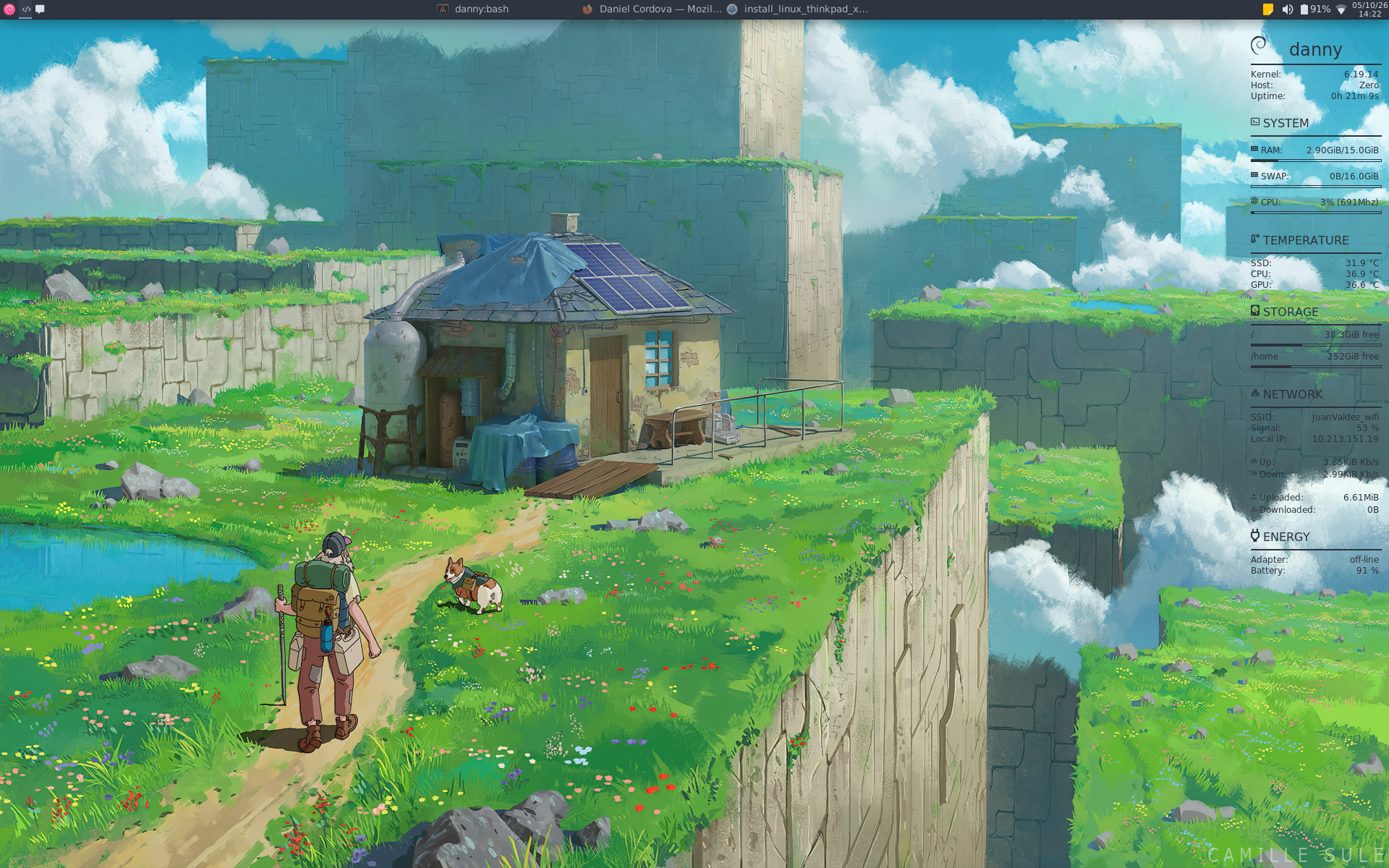
Debian with XFCE showing desktop
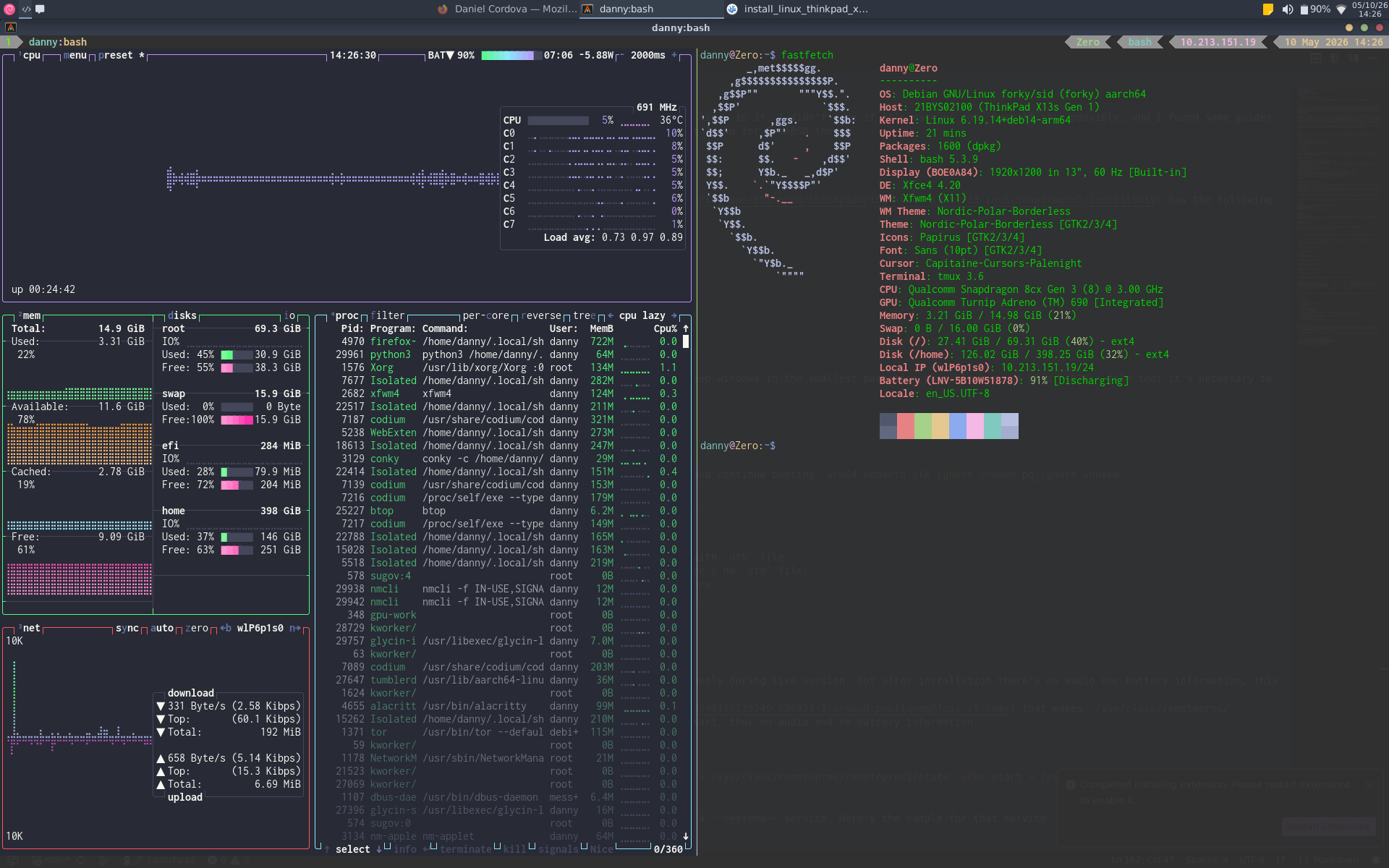
Terminal screenshot with Btop and Fastfetch
Conclusion
The Thinkpad X13s ARM Snapdragon has been a lovely laptop for doing pretty much every task I wanted to do, battery last a lot (didn't make too many tests though, but at least 5 to 6 hours). Didn't try to do my job setup there, becuase the architecture I work on at my job is a resource eater (Something like 32gb of ram when running all tests and CPU cores to the top when compiling).
I'm really happy with my decision, working on an ARM Laptop is quite a journey and I'll continue doing some tests and developing some stuff in it.